It’s time for another Custom Start Menu Button for Windows 7 I made, this Start Menu button is perfect combination for our Simple 8 Theme for Windows 7.
Previously we shared you our Simple 8 Theme for Windows 7 which got too many downloads in just a few days and still counting, we received good feedbacks posted on different site’s like WinMatrix (got featured from their homepage), and deviant ART community and other social networking site’s.
Some of our members and friends, made a suggestions on make a complete package of the theme, like Explorer Frame (which will I make soon), a Start Menu transparency, and lastly a custom start menu button for it.
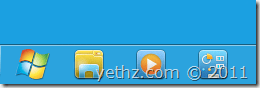
Now, I share you Simple 8 Custom Start Menu Button. Yes! Its only start menu button right now, we will post more updates and resource of Simple 8 Theme bit by bit :)
To install this Custom Start button in your Windows 7, you’ll need Windows 7 Start Button Changer which we shared you on our previous post and a simple guide on how to change it easily.
So, what do you think of our Custom Start Menu button for Simple 8 Theme? Do you like it? Please share your thoughts below and enjoy.
Note: The button is so simple to match with our theme. Thank you and hope you like it.
Simple8StartButton.zip (985 downloads )
awesome start menu orb bud,simple and minimalistic…….buddy i have 1 request to make,checkout this link http://www.mediafire.com/?pwbnfcrlim7ph30 (uploaded by me…..)……m fall in love with this orb(awesome transparency and animation)…….now the problem is that its in .png ext and i need it in .bmp ext…..i have tried to convert it in .bmp ext,but m loosing the original transparency of this orb heavily(also m not that type of customization geek/guru in photo editing,learning currently,basic photo editing for me only…….LOL)…….i know u r thinking why not use start orbz studio or Windows 7 Start Button Changer v 4(which supports both .bmp and .png) to replace the start menu,but no in past i got various problem using both of this app(now using Windows 7 Start Button Changer v 2.6,which only supports .bmp EXT)……..so please bud do it for me(if u have some time left in ur hand……i know ur quite a busy person) and i also know its like “cake in mouth” job for you…….. LMAO……….btw as far as pc games is concern only casual game for me LOL………WOULD love to play “high def graphics game” but my RETARD pc didn’t support those type of GAMES….. “Around the World in 80 Days” by playrix #nowplaying :D :D :D :D
Sure bro.. Its a pleasure to make 1 for u ;) and it took me a couple of minutes to align :D
anyhow, here’s your orb; http://www.mediafire.com/?4vru1ing0qjfok0
about the Simple 8 update:
I tried to remake the Start Menu, and before I dig into my PC, I think
of it for a couple of hours, on what style it would be suited to Simple 8
VS for the start menu,
and my thought would be make it simple again, the full transparency
thing is good but if you use random color on your wallpaper (dark,
light, full white, etc..) the text is not so unreadable even if I use
text glow, (yes its good for 20/20 vision) but its not good for all…
The concept would be like usable to all/simple and can be use for long term pc usage…
now, i made a few minor changes of the start menu, what do you think of this changes?
Preview: http://i.imgur.com/LID7j.png
and also enjoy your new start orb :D
oooo yeah,that’s what i am talking about………thank you very much bro…… :D and ya i saw that……..i think you have just added squarish hovering effect on the start menu items………cool! btw bro c this http://snipes2.deviantart.com/art/cushy-1-2-fixed-192033313 my good friend over D-ART has made this(one of my fav concept)…..now fact of the matter is…….this VS is not working on my pc(dwm crashed every-time when i try apply this VS on my pc(sadly removed due problems)…….so my point is make the superbar look more lustrous,sleek and glossy and add some green/red or blue hovering effects on items……………that’s it…….i know this is needs a serious hard work from you…….but i know you do it with ease………last but not the least “INTEL INSIDE………yethz OUTSIDE”………. :D:D:D ;-) LOL… Dang… those captacha codes are very annoying to read and write……..LOL
yeah i changed the hover on placeslist, I also removed the UserPIC from the start menu (havent u noticed it did u? :D)
for the vs you’ve mentioned, maybe i’ll look into it, IF i am done with my Simple 8…
INTEL INSIDE cant enter yethz is already IN LOL!
what do you mean captcha codes? here in commenting system in yethz.x10.mx?
if that annoys you, i’ll remove this commenting system :D
I tried to use this disqus commenting system, mainly, others can directly comment with other login options and also preventing spam when using it.
Im planning to remove this because;
1. Still the same, If they want to comment, they will whatever commenting system u use..
2. It uses more ram usage on my server than it was before… will not that huge but every bits counts :)
ya well………i forgot to mentioned that u also removed the user pic…………..awesome imo! :)anyways about captcha codes,ya it is very very annoying,everytime when i try enter a comment on your site, i have to face those worthless,blah blah blah captcha codes(facing ltl bit problem to entering captchas)…….ya i also know that u have implemented those captchas becoz of those SPAMBOTS……..buuuuuut you know what i am actually trying to say(annoyance LOL) ANYWAYS disqus is the worst comment approval system in whole DAMN earth……..LOL…….loads like forever on my slow connection(and its hooging the cpu/ram usage(firefox mainly)……u r right about that),so my suggestion is that try to do something commenting system(may be bring back the old style format commenting system)……. :)
ps:-BTW pardon me if i said something wrong bro……. :D
Thanks for your feedback about it. I will try to return it to default commenting system soon, I’ll just have to re-instate my spam blocking tools back again (which is time consuming on my part) ;)
Its weird coz It didn’t asked me for any captcha codes in here.. :)
I will look into it deeper, maybe we can make adjustments.
Sorry for the inconvenience about those codes, yeah me too I am annoyed of those things.
I just didn’t know that there is, coz I havent face that captcha codes in this commenting system since I emplemented it way back.
maybe it asks you coz you are not registering for disqus? I dont know I will dig it now, maybe I can find some ways…
I am very thankful for your feedbacks bro, with that I can change things for our members and visitors.
Thanks again :salute: :D
Test comment for none-reg users ;D
@da79d123cf4666aa5e905bce5aab1537:disqus : bro that Annoying Codes? comment is only a test of mine commenting here (I use IE9 when doing it), and it didn’t ask me for any captcha codes…
im not logged-in when commenting it.. it just asked me for email and name, after that. no codes..
quote
maybe it asks you coz you are not registering for disqus?
maybe(who knows) :D
he he he……but as of now, no more annoyance……..no more capctchas……working fine now…..wl post a screen shot if this prob happens again WITH me…….i must tell u, you’re truly a “MAN OF HONOR’……respect u a looooot…….. :HUG: :)
Thank u bro and much respect to u and to all who subscribe to yethz.x10.mx
for the annoyance ive turned off some features like login via yahoo,facebook etc…
please do report anything annoying in this site, i will try to fix it or enhanced maybe :D